Roku TV
Play it on the big screen
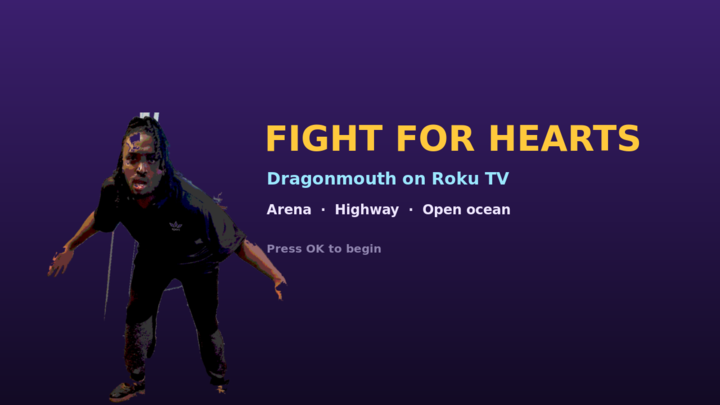
Roku has no web browser, so the whole game was rebuilt as a native Roku channel. Same ten chapters, same hero, same Acura and surfboard — running on the remote instead of a keyboard.
Put it on your TV
Roku calls this side-loading. It takes about two minutes and you only do it once.
-
Turn on Developer Mode
On the Roku remote press
Home×3,Up×2,Right,Left,Right,Left,Right. Accept the agreement, set a password, and write down the IP address it shows you. -
Download the channel
Use the button above to save
fight-for-hearts-roku.zip. -
Open the Roku Development Application Installer
On a computer or phone on the same Wi-Fi, visit
http://YOUR-ROKU-IP. Log in with the usernamerokudevand the password you just set. - Upload and replace Choose the zip file, press Install, and the channel launches straight away.
-
Play
It stays on your Home screen as Fight for Hearts. Pick a chapter and press
OK.
The remote
D-PADMove, steer the Acura, carve the board
OKPunch · get in the car · swing the board
REPLAY ↺Jump / hop the board
REWIND ◀◀Spin combo · call the wave
FAST FWD ▶▶Throw a fireball
UP / DOWNThrottle and brake while driving
★ (Star)Pause
BACKBack to the chapter list
All ten chapters
- ArenaThe Painted Gate
- ArenaBramble Hollow
- ArenaCinder Bridge
- ArenaFrostmouth Peak
- ArenaGreen Briar Dungeon
- DriveSunset Freeway
- DriveWild Savannah Run
- DriveDinosaur Valley
- DriveMidnight Storm Highway
- SurfShark Point
Side-loaded channels stay on your Roku until you remove them, but Roku clears them if the device is factory reset. To publish it to the Roku Channel Store instead, upload the same zip at developer.roku.com.